

Stand Up for Your Health: Ergonomic Tips for Standing Desks
Why Ergonomics Standing Desk Posture Matters More Than You Think

Ergonomics standing desk posture is the foundation for preventing pain and maximizing the health benefits of your sit-stand workstation. Here's what you need to know right now:
Quick Setup Checklist:
- Desk Height: Adjust so your elbows bend at 90 degrees when typing
- Monitor Position: Top of screen at or slightly below eye level, arm's length away
- Posture: Keep head, shoulders, hips aligned; weight evenly distributed on both feet
- Movement: Alternate sitting and standing every 30-60 minutes (aim for 1:1 or 2:1 ratio)
- Feet: Use an anti-fatigue mat and supportive shoes
- Wrists: Keep straight and parallel to the desk surface
You've probably heard the phrase "sitting is the new smoking." It's dramatic, but there's truth behind it. Prolonged sitting increases your risk of obesity, heart disease, diabetes, and chronic back pain. Standing desks became popular as a solution—but here's the catch: standing all day isn't the answer either.
The real key is movement. Your body needs to alternate between positions throughout the day. Standing burns about 20% more calories than sitting, engages your core muscles, and reduces lower back compression. But standing incorrectly or for too long creates new problems: leg fatigue, joint pressure, and even wrist strain from poor desk setup.
Most people who buy standing desks make the same mistakes. They stand too long without breaks. They set their desk at the wrong height. They lock their knees or lean on their desk. Within a month, many people stop using their standing desk altogether because they're uncomfortable or in pain.
The solution isn't complicated, but it requires understanding proper ergonomics standing desk posture for both sitting and standing positions.
I'm Lou Ezrick, a physical therapist with nearly two decades of experience treating chronic pain and movement dysfunction at Evolve Physical Therapy in Brooklyn. I've helped hundreds of patients resolve desk-related pain by optimizing their ergonomics standing desk posture and building healthier work habits. Let me show you exactly how to set up your workstation and develop a routine that actually works.
Why Your Posture Matters: The Pros and Cons of Standing Desks
Standing desks have become incredibly popular, and for good reason. They offer a real solution to the health problems caused by sitting all day. But here's what most people don't realize: the benefits only happen when you use proper ergonomics standing desk posture.
Just buying a standing desk isn't enough. You need to understand both what you're gaining and what could go wrong.
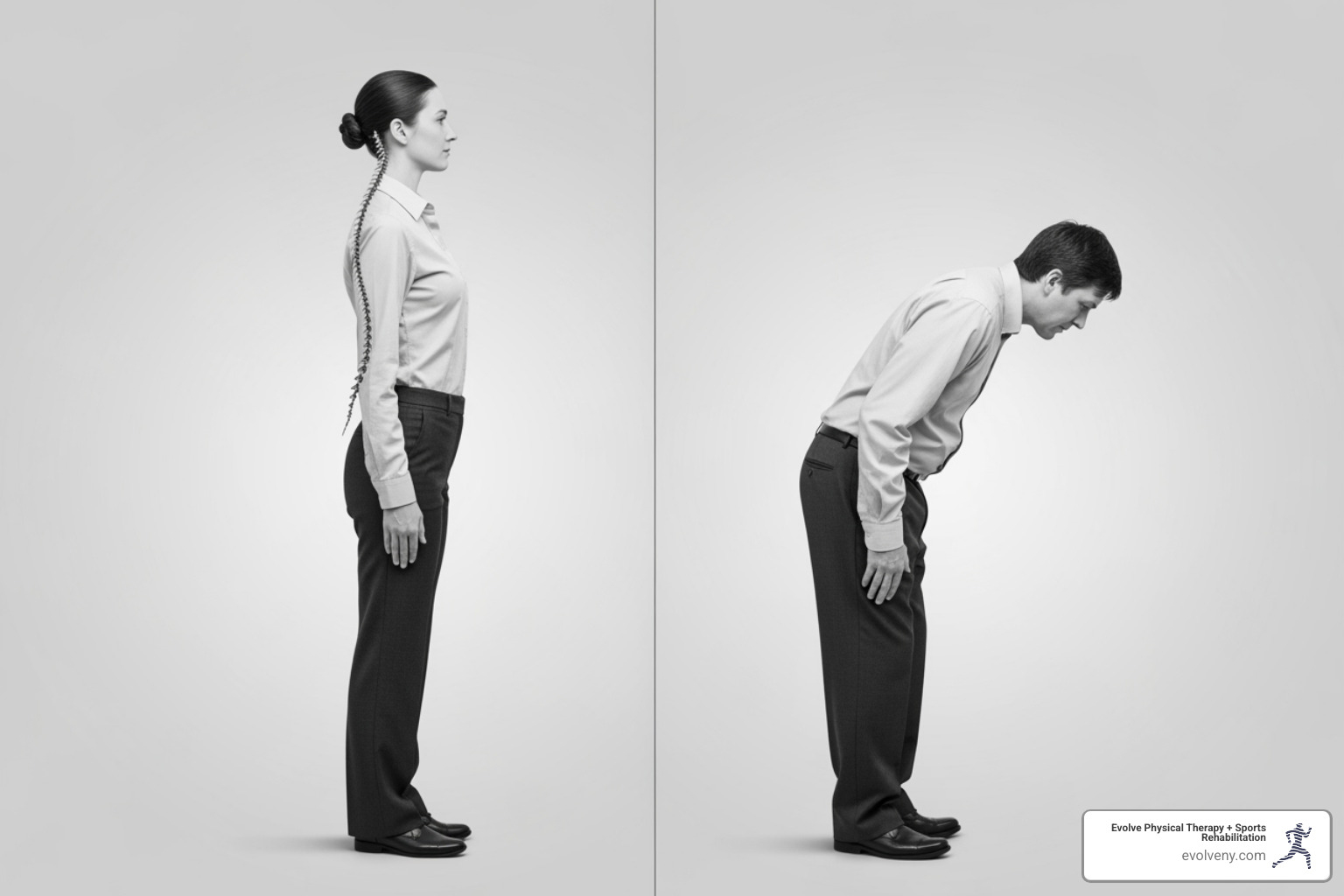
The Health Benefits of Alternating Postures
When you alternate between sitting and standing throughout your workday, something remarkable happens. Your body starts working the way it was designed to—with regular movement and position changes.
Standing burns about 20% more calories than sitting. That's not a substitute for your morning run, but those extra calories add up over weeks and months. More importantly, standing activates muscles throughout your body. This muscle activity triggers your brain to release endorphins, those natural mood-boosting chemicals that make you feel more energized and focused.
Your circulation improves when you stand. Blood flows more easily to your brain, which sharpens your thinking and helps you stay alert during that afternoon slump. Over time, this increased movement helps reduce your risk of chronic diseases linked to sitting—heart disease, type 2 diabetes, and certain cancers.
The key word here is "alternating." You're not just standing all day. You're giving your body the variety it craves. This is the real secret to maintaining proper posture at work—movement beats any single position, no matter how "correct" it is.
The Risks of Standing Incorrectly
Now for the reality check. Standing all day without proper form creates its own problems. I've treated bank tellers, retail workers, and assembly line employees who developed serious back pain from standing in one spot for hours.
When you stand still for too long, your leg muscles, tendons, and connective tissue take a beating. The blood pools in your lower legs, which can lead to varicose veins. Your knees, hips, and the balls of your feet bear increased pressure on their cartilage. Your circulatory system has to work 20% harder just to pump blood back up to your heart.
Without correct ergonomics standing desk posture, you're also setting yourself up for wrist problems. Many people lean on their desks or lock their knees when they get tired. Some shift all their weight to one leg. These habits create spinal misalignment and put extra strain on your joints.
Here's the worst part: carpal tunnel syndrome and wrist injuries become more likely when your desk height is wrong or you're compensating for fatigue with poor positioning.
The OSHA guidelines on ergonomics make this clear—ergonomics means fitting your workspace to your body's needs, not forcing your body to adapt to a bad setup. Movement is the foundation of good ergonomics.
| Activity | Calories Burned (Relative) | Health Risks (Prolonged) | Benefits (Alternating) |
|---|---|---|---|
| Prolonged Sitting | Low | Obesity, heart disease, diabetes, back pain, poor circulation | |
| Prolonged Standing | Moderate | Leg fatigue, joint pressure, varicose veins, circulatory strain, wrist injury, back pain | |
| Alternating Sit/Stand | Moderate (overall) | Reduced | Improved circulation, mood, energy, muscle activity, disease prevention |
The takeaway? A standing desk isn't about choosing standing over sitting. It's about creating a workstation that lets you move between positions comfortably throughout the day. That's where proper setup becomes essential.
Setting Up Your Workstation for Perfect Ergonomics Standing Desk Posture
You've got your standing desk – that's a fantastic first step! But here's the secret: the magic doesn't happen just by having one. It's all about how you set it up and how you use it. Getting your workstation dialed in for perfect ergonomics standing desk posture is like giving your body a big, supportive hug throughout your workday. Let's make sure your setup truly supports you, whether you're sitting or standing.
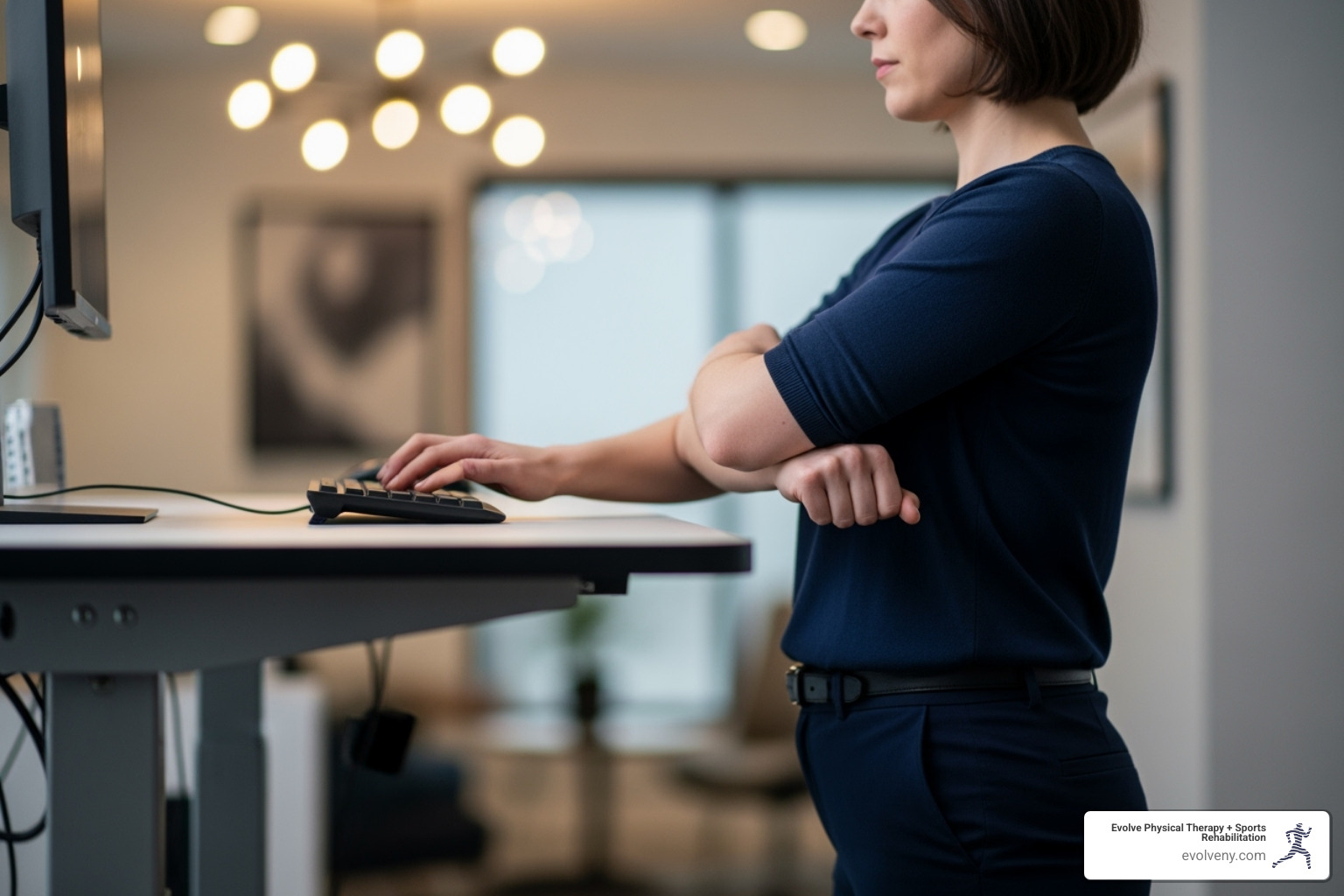
Workstation Types
The world of standing desks has really grown, giving us lots of choices. You might be familiar with the traditional workstation, which is just a regular desk and chair. While functional, it’s what we're trying to move away from for long periods. Then there’s the fixed standing workstation, which is always at standing height. It's better than sitting all day, but it misses the crucial point: movement and variety.
At Evolve Physical Therapy, we truly believe the best option is a sit-stand workstation, also known as an adjustable height desk. These are the gold standard because they let you easily switch between sitting and standing. You can find them in a few forms:
- Electric desks are super popular because they adjust with the push of a button, making changes effortless.
- Manual or crank desks also adjust, but you'll need to put in a little muscle power.
- And if you're looking for a more budget-friendly or space-saving option, sit-stand converters sit on top of your existing desk. They lift your monitor and keyboard when you want to stand.
No matter which type you choose, remember this: the ability to move and change positions throughout your day is what truly matters most for your health and comfort.
Achieving Ideal Ergonomics Standing Desk Posture
When you're standing at your desk, the main goal is for your body to feel relaxed and neutral, not strained or stiff. Think of it as finding your natural balance.
First up, desk height is probably the most important adjustment. You want your desk to be at a height where your elbows are bent at about a 90-degree angle when your hands are on your keyboard. Your forearms should be parallel to the floor. For example, if you're an average-height woman (around 5'4"), your desk surface might be about 41 inches high. For an average-height man (around 5'10"), it's closer to 45 inches. A desk that can adjust from about 22 to 48 inches will fit most people just right.
Next, let's talk about your monitor placement. Your screen should be right in front of you, about an arm's length (20-28 inches) away. The very top of your monitor should be at or just below eye level. A small upward tilt (10-20 degrees) can help reduce glare and keep your neck happy. If you wear glasses, especially bifocals, you might need to drop the monitor an extra inch or two.
And don't forget your keyboard and mouse! They should be at the same level as your desk surface. This lets your wrists stay straight and neutral, not bent up or down. Keep your upper arms close to your body for comfort.
Finally, let's look at your overall posture. Stand tall, imagining a string gently pulling you up from the top of your head. Your head should be aligned right over your spine, and your shoulders should feel relaxed, not hunched up by your ears. Keep your knees slightly bent – never locked! And make sure your weight is spread evenly between both feet. For even more detailed tips on setting up your screen and accessories, check out our guide on ideal computer posture.
Maintaining Your Ergonomics Standing Desk Posture While Sitting
Since the whole idea is to switch between sitting and standing, making sure your seated position is comfy and correct is just as important! Your ergonomic chair is a great tool, so let's make sure you're using it to its full potential.
Start with your chair height. Adjust it so your feet are flat on the floor. If your feet don't quite reach, a footrest can be a game-changer! Your knees should be bent at about a 90-degree angle, or a little lower than your hips.
Your chair's lumbar support is there to help your lower back. Make sure it fits snugly into the natural curve of your lower spine. This helps keep that healthy "S" curve and stops you from slouching.
Adjust your armrests so your arms can rest gently on them, with your elbows close to your body and bent at a 90-degree angle. Your shoulders should feel relaxed, not shrugged up.
Just like when standing, your keyboard and mouse should be positioned so your wrists stay straight and your forearms are parallel to the floor. This prevents strain.
Lastly, ensure you have plenty of legroom under your desk. You should be able to move your legs freely without bumping into anything. Avoid stuffing items under your desk that limit this movement. For a complete guide on how to get the most out of your chair, take a look at our article on the best ergonomic way to sit at a desk.
Special Considerations for Laptops
Laptops are incredibly convenient for working anywhere, but they can be real troublemakers for your ergonomics standing desk posture. Because the screen and keyboard are attached, they often force you to crane your neck or hunch your shoulders, leading to discomfort.

If you use a laptop at your standing desk, here’s how to make it work for you:
- Get a laptop stand. This lets you raise your screen to eye level, so you're not constantly looking down and straining your neck.
- Use an external keyboard. Once your laptop is on a stand, you'll need a separate keyboard so you can type with your elbows bent at 90 degrees and your wrists straight.
- Add an external mouse. This helps you keep your wrist in a neutral position and your arm comfortably close to your body.
Without these simple accessories, it's almost impossible to achieve proper ergonomics standing desk posture with a laptop. For even more smart ideas on setting up your home office for health, check out our tips for home office ergonomics.
Creating a Healthy Sit-Stand Routine
We’ve talked a lot about how movement is your body’s best friend during the workday. It's not just about sitting less, or even standing more; it's about finding that sweet spot of alternating positions. But how do you actually make this a smooth, sustainable part of your day? It all comes down to building a routine that truly supports you and your unique needs.
Common Mistakes to Avoid
It’s easy to get excited about a standing desk and then accidentally fall into some common traps. We see it all the time at Evolve Physical Therapy. Many people start with great intentions but quickly give up. Why? Because they make these mistakes:
- Standing for Too Long: It might seem counter-intuitive, but standing all day can be just as tough on your body as sitting all day. Studies show that many people end up using their standing desk for less than 15 minutes a day, and a lot of folks even go back to sitting full-time within a month because of discomfort. It's about alternating!
- Standing Rigidly: Your body loves movement. Standing perfectly still for long periods isn't the goal. Think about subtle shifts, small movements, and mini-breaks.
- Ignoring Pain: Your body is smart and will tell you when something isn't right. If you feel pain, listen to it! Pushing through discomfort usually makes things worse.
- Improper Desk Adjustment: Getting your ergonomics standing desk posture just right is crucial. If your desk, monitor, or keyboard aren't set correctly for both sitting and standing, you won't get the full benefits and might even create new problems.
- Alternative Workstations: While options like treadmill desks or exercise balls sound good for movement, they often come with their own downsides. Treadmill desks can actually make you type slower and make more mistakes! And exercise balls, despite popular belief, aren't usually recommended as ergonomic chairs because they lack proper back support and can be a bit wobbly.
Finding the Right Sit-to-Stand Ratio
So, what’s the magic number for sitting versus standing? Well, your body is unique, but there are some fantastic guidelines to help you find your rhythm. Experts often suggest aiming for a 1:1 or 2:1 ratio of sitting versus standing. This means for every 1 or 2 hours you spend sitting, try to spend 1 hour standing. Some research even leans towards 1:1 to 3:1 (standing to sitting) for the best results!
The most important takeaway? Alternate your positions every 30 to 60 minutes. Don't feel like you need to stand for hours right off the bat. Start small! Try standing for 10-15 minutes each hour. As your body gets used to it, you can gradually increase your standing time. The goal is to eventually build up to about two to four hours of standing per day, spread out and alternated with sitting. Always listen to your body and adjust as you go. For more insights, you can dive into research on optimal sit-stand ratios.
The Importance of Breaks and Movement
Even with a perfectly set up sit-stand desk and a great sit-stand routine, regular breaks and little bursts of movement are absolutely essential. These "micro-breaks" are your secret weapon against eye strain, stiffness, and that foggy mental feeling.
- Micro-breaks: Try to step away from your screen every 20-30 minutes, even if it's just for 30 seconds. A quick stretch or a glance out the window can do wonders.
- The 20-20-20 Rule: Your eyes need a break too! Every 20 minutes, look at something 20 feet away for 20 seconds. It helps prevent eye strain.
- Walk Around: Aim to get up and move your body at least once an hour. Go grab a glass of water, say hello to a colleague, or just stretch your legs.
- Simple Exercises and Stretches: Incorporate a few quick stretches right at your desk to release tension. Here are some favorites, recommended by kinesiologist Alex Doré:
- Chin Tuck: Relax your shoulders, look straight ahead, and gently slide your chin straight back (don't tilt your head). Hold for 5 seconds, then relax. Repeat a few times.
- Upper Trap Stretch: Sit tall, draw your head back, and align your ears over your shoulders. Place one hand behind your back and use the other hand to gently pull your head to the opposite side, stretching your neck.
- Scapular Retraction: Squeeze your shoulder blades together gently, making sure your shoulders stay down and don't shrug up towards your ears.
- Pelvic Tilt: While sitting, gently rock your pelvis forward and backward, and then side to side. It's a small movement that wakes up your core!
- Wrist Stretches: Gently pull your fingers back towards your body, holding for a few seconds, then push them forward. This is great for preventing wrist strain.
The best posture is always the next posture! Keep moving. For even more tips on maintaining healthy habits at your computer, check out our guide to correct computer posture.
Frequently Asked Questions about Standing Desk Ergonomics
We often hear some really great questions about getting the most out of your standing desk. It's smart to ask, because a little knowledge goes a long way in turning your workstation into a true ally for your health! Let's explore some of the most common queries we receive.
Do I need an anti-fatigue mat or special footwear?
Absolutely, yes to both! Think of these as your personal comfort crew when you're on your feet. When you choose to stand, especially for longer periods, having the right support is crucial for maintaining good ergonomics standing desk posture and preventing aches and pains.
An anti-fatigue mat is like a soft, supportive cloud for your feet. It's designed to cushion your steps and encourage tiny, subtle movements in your leg muscles. This actually helps your blood flow better and drastically cuts down on that tired, heavy feeling in your legs and lower back. In fact, studies have shown that people who stand for two or more hours a day feel much less discomfort and fatigue when they use these mats. They're a game-changer for preventing leg problems and easing lower back pain. You can even dig into studies on anti-fatigue mat effectiveness to see the science behind it!
And let's talk about your feet! When you're standing, your footwear really matters. Ditch the heels or those super-flat, unsupportive shoes. Instead, opt for comfortable, supportive shoes with plenty of cushioning. Good shoes act like shock absorbers, distributing pressure more evenly across your feet and easing the strain on your ankles, knees, and hips. For an extra touch, a footrest can be incredibly helpful. It allows you to shift your weight from one leg to the other, offering momentary relief and promoting those beneficial micro-movements.
What is the ideal height for a standing desk?
This is a fantastic question, and while the "ideal" height is truly personal to you, there's one golden rule that applies to everyone: the 90-degree elbow bend. When you're standing comfortably with your shoulders relaxed and your arms hanging naturally at your sides, your elbows should form a perfect right angle when your hands are resting on your keyboard. That's your sweet spot!
Based on ergonomic research, the average person needs a specific height to achieve this. For instance, the average female in the U.S. workforce (around 5'4") typically needs a worksurface height of about 41.3 inches when standing. For the average male (around 5'10"), that measurement is closer to 44.8 inches.
This is why an adjustable height desk is such a smart investment. A desk that can move from about 22.5 inches up to 48.5 inches can comfortably accommodate a huge range of people – from the shortest to the tallest among us. This ensures that no matter your height, you can always achieve that perfect ergonomics standing desk posture whether you're sitting or standing.
Are standing desks cost-effective?
This is a really thoughtful question, and the answer, like many good things, is a bit nuanced. Yes, the initial investment for a high-quality adjustable height desk can feel like a big chunk of change upfront. And truthfully, if not used correctly, some early studies showed that people might not stick with them, making them seem less cost-effective.
However, when a standing desk is used properly – meaning with good ergonomics standing desk posture and a balanced routine of sitting and standing – the long-term benefits can absolutely outweigh that initial cost. Think of it as an investment in your health, well-being, and even your professional performance.
Here's how those benefits can add up:
- Reduced Healthcare Costs: Less pain often means fewer trips to the doctor, fewer physical therapy appointments, and potentially less reliance on pain medication. This is something we see at Evolve Physical Therapy.
- Increased Productivity: When you're more comfortable and have better energy levels, your focus and concentration improve. This can lead to better work performance and efficiency.
- Improved Employee Morale: A workplace that cares about your physical comfort and health naturally leads to higher job satisfaction.
If a full adjustable desk isn't quite in your budget right now, don't despair! Sit-stand converters are a fantastic and more affordable entry point. They allow you to experiment with alternating postures without the larger commitment, helping you find the benefits before making a bigger investment. The true cost-effectiveness of a standing desk comes down to consistent, correct usage and valuing your long-term health.
Conclusion
Wow, we've journeyed through a lot of important information today! The big takeaway? It's not about picking sides between sitting or standing all day. Instead, it's about embracing movement as your superpower for a healthier workday. And nailing your ergonomics standing desk posture is the secret sauce to making that movement truly work for you.
So, let's quickly recap the essentials. Remember to set up your workstation correctly – that means getting your desk, monitor, keyboard, and mouse just right for both sitting and standing. Then, make sure you alternate your postures regularly. Aim for that sweet spot of a 1:1 or 2:1 sit-stand ratio, and always, always listen to what your body is telling you. Don't forget to incorporate micro-breaks and stretches throughout your day; these little moments of movement are game-changers for keeping your body and mind fresh. And hey, investing in supportive buddies like anti-fatigue mats and comfy footwear can make a world of difference for your standing comfort.
Here at Evolve Physical Therapy + Sports Rehabilitation in Brooklyn, we're all about empowering you with the knowledge and tools to live your best, pain-free life. If you've been diligently adjusting your workstation and still find yourself struggling with persistent aches, stiffness, or discomfort, it might be time for a professional, personalized look. Our friendly and experienced physical therapists are experts at evaluating your unique body mechanics and workstation setup. We can pinpoint what's going on and guide you toward lasting relief. Don't let discomfort hold you back from enjoying your work and your life!
Ready to truly stand up for your health? Get a professional ergonomic assessment with physical therapy in Brooklyn and let us help you move better, feel better, and work better.
