

Unlock Your Best Self: Mastering Ergonomic Body Posture
Why Understanding Ergonomic Body Posture Matters for Your Health
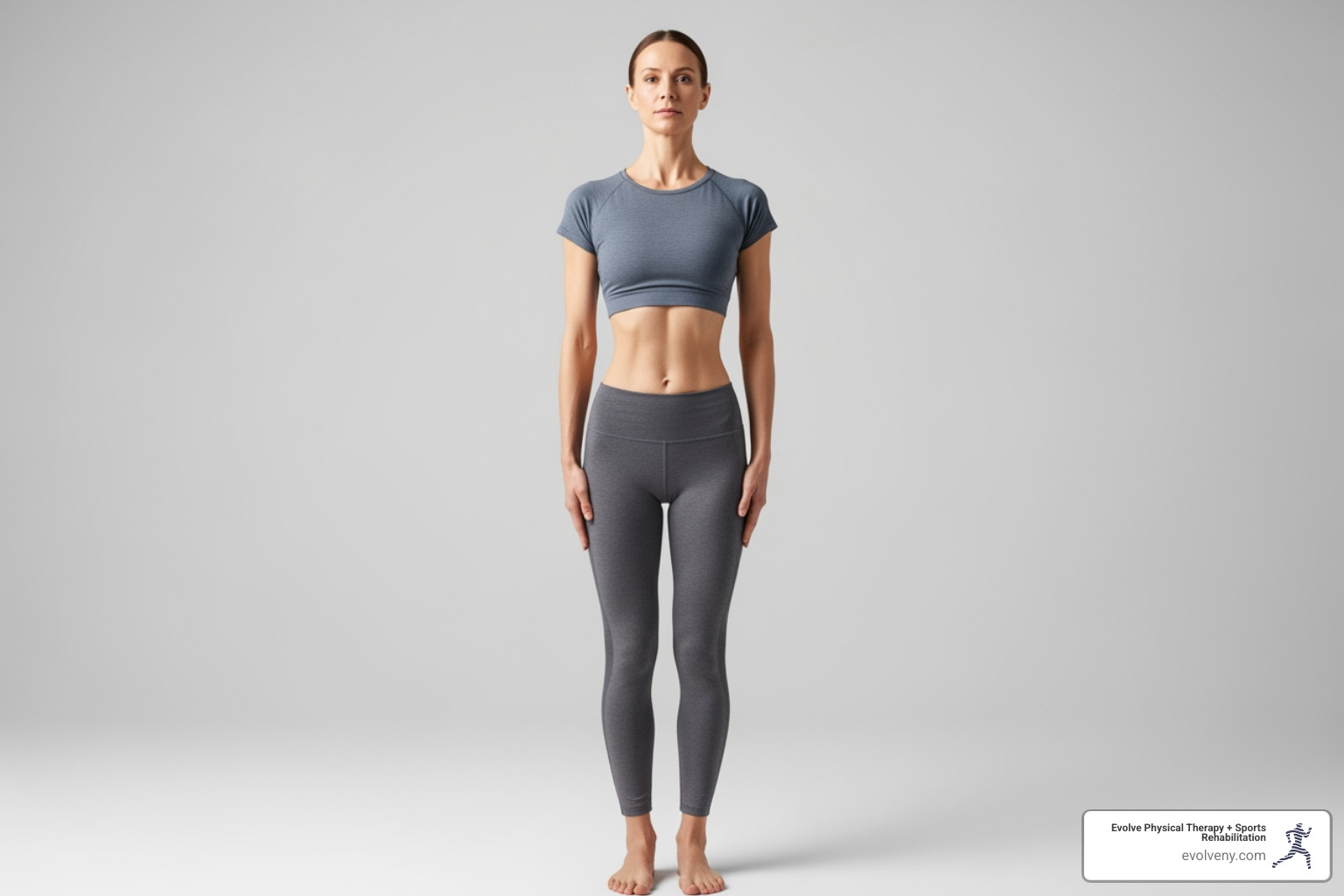
What is the ergonomically optimum body posture? It's a neutral body position where your joints are naturally aligned—head over shoulders, shoulders over hips, with minimal stress on muscles, tendons, and bones. This alignment maintains your spine's natural curves and allows your body to function efficiently whether you're sitting, standing, or moving.
Key principles of ergonomically optimum posture:
- Head: Level and in-line with your torso, ears aligned with shoulders
- Shoulders: Relaxed and pulled back, not hunched or liftd
- Spine: Maintains three natural curves (neck, mid-back, lower back)
- Hips: At approximately 90 degrees when sitting
- Knees: At or slightly below hip level, bent at 90 degrees
- Feet: Flat on the floor or footrest, ankles in front of knees
- Elbows: Close to body, bent between 90-120 degrees
- Wrists: Straight and aligned with forearms
If you work in an office and often use a computer, you've likely experienced the nagging pain that comes with hours at your desk. You're not alone. Nearly 70% of workers in America suffer from back pain, and a staggering 30% of days missed from work in 2018 were due to ergonomics complications. The culprit isn't just hard work—it's how we hold our bodies while we work.
Poor posture doesn't just cause immediate discomfort. Over time, it can lead to musculoskeletal disorders, decreased flexibility, chronic pain, and even breathing difficulties. The good news? Understanding and practicing proper ergonomic posture can prevent these issues and dramatically improve your quality of life.
As Lou Ezrick, founder of Evolve Physical Therapy with nearly two decades of experience treating chronic pain and movement dysfunction, I've helped thousands of patients find what is the ergonomically optimum body posture for their unique needs and watched them reclaim pain-free, active lives. Whether you're dealing with existing discomfort or simply want to prevent future problems, mastering ergonomic principles is one of the most powerful steps you can take.
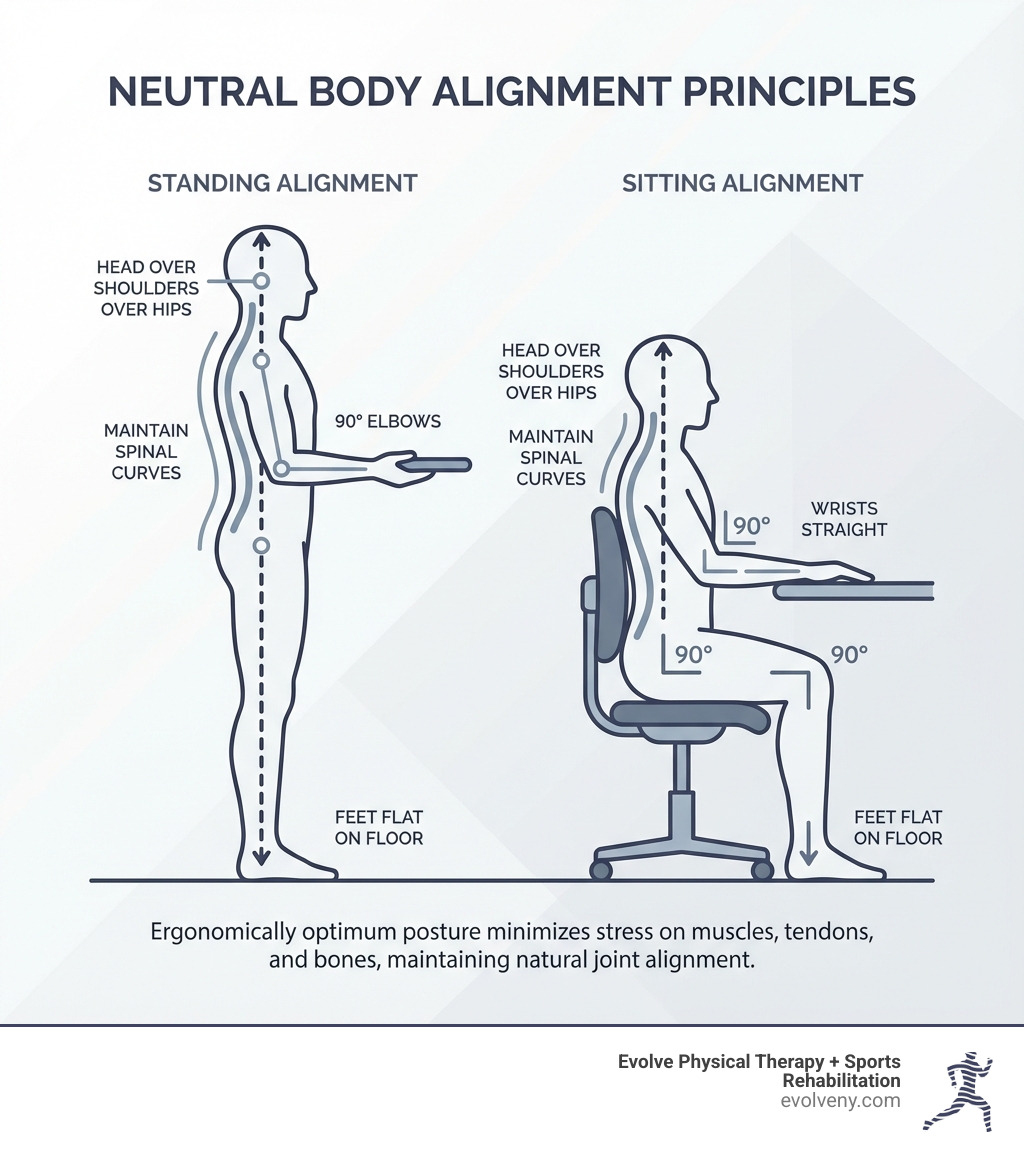
The Foundation: Understanding Neutral Body Posture
At Evolve Physical Therapy, we often talk about "neutral body posture" because it's the starting point for understanding what is the ergonomically optimum body posture. But what exactly is it? Simply put, posture is how we hold our bodies, whether we're sitting, standing, or even lying down. Neutral body positioning refers to a comfortable working posture where your joints are naturally aligned, minimizing stress and strain on your muscles, tendons, and skeletal system.
Our spine naturally has three gentle curves: one in the neck (cervical), one in the mid-back (thoracic), and one in the lower back (lumbar). Neutral posture aims to maintain these natural curves, allowing your body to function at its best. When these curves are protected and not exaggerated, your muscles can produce force efficiently, stress on tissues is minimized, and even your breathing and circulation can be more optimal. This is crucial for overall musculoskeletal health and preventing issues that can arise from bad office posture.
Why Neutral Posture is the Ergonomic Ideal
Why do we strive for neutral posture? It’s not just about looking good; it's about setting your body up for long-term health and peak performance. When your human movement system is in proper alignment, it's like a well-oiled machine. Stress on your tissues is minimized, muscles can produce force efficiently, and even your breathing and circulation of bodily fluids are optimized. This means less fatigue, better concentration, and significantly reduced risk of pain and injury.
Conversely, prolonged periods in an uncomfortable or misaligned posture can lead to a cascade of problems. We're talking increased compressive load on the spine, reduced blood flow to muscles (leading to numbness and pain), and even compromised digestion and breathing difficulties due to a restricted diaphragm. Good posture can help us avoid aches and pains in the back, neck, and shoulders, prevent sports injuries, and reduce wear and tear on our joints, especially the spine. Understanding Posture: What It Is & Why It Matters for Your Health is the first step towards a healthier you.
Static vs. Dynamic Posture: Why Both Matter
When we discuss posture, it’s important to distinguish between two types: static and dynamic.
- Static posture refers to how we hold our bodies when we are still—think sitting at your desk, standing in line, or even lying down.
- Dynamic posture is how we maintain stability and alignment while moving, such as walking, running, or lifting objects.
Both are incredibly important for overall health. While static posture sets the stage for comfort and efficiency in stationary tasks, dynamic posture ensures we move safely and effectively throughout our day. The truth is, even the most ergonomically "perfect" static posture can become detrimental if held for too long. Our bodies are designed for movement! As experts often say, "your best posture is your next posture." This emphasizes the importance of frequent changes in position and incorporating movement into our daily routines, whether we're at a desk or on the go. This approach is key to developing good posture for office workers.
What is the Ergonomically Optimum Body Posture for Sitting?
For many of us in Brooklyn, especially those with desk jobs, sitting is a significant part of our day. But prolonged sitting, if done incorrectly, is a major contributor to discomfort and pain. What is the ergonomically optimum body posture when you're seated? It’s a balanced approach to supporting your body while maintaining those crucial neutral alignments.
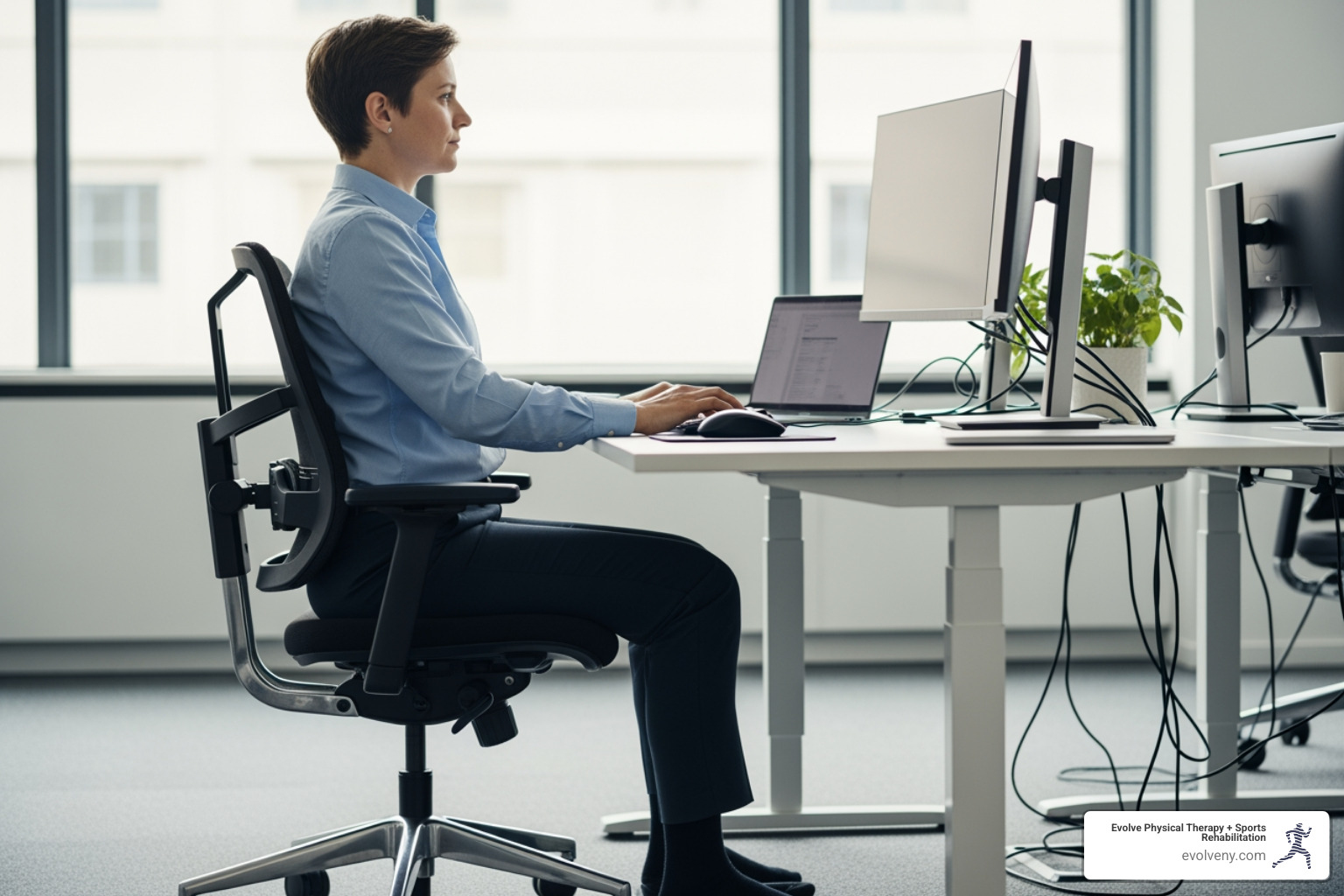
Aligning Your Lower Body: Hips, Knees, and Feet
Let’s start from the ground up. Proper lower body alignment is fundamental for good sitting posture. We recommend keeping your joints—hips, knees, and ankles—at an angle of 90 degrees or slightly higher. This helps distribute weight evenly and reduces strain.
- Hips: Ensure your hips are well-supported, ideally with your thighs parallel to the floor. Your knee joints should be at or slightly below your hip joints.
- Knees: Maintain a small gap, about three fingers wide, between the back of your knees and the front edge of your seat. This prevents pressure on nerves and blood vessels.
- Feet: Your feet should be flat on the floor. If they don't reach comfortably, use a footrest. We also advise against crossing your legs for extended periods, as this can compress nerves and restrict circulation. Keep your ankle joints slightly in front of your knees.
These adjustments are crucial for maintaining proper circulation and supporting your spine from its base. For more detailed guidance, check out our insights on the correct way to sit at computer.
Supporting Your Upper Body: Back, Shoulders, and Head
Once your lower body is in place, we move to the core and upper body. The goal here is to support your spine's natural curves and keep your head balanced over your shoulders.
- Back: Use your chair’s lumbar support to fit the small of your back. This helps maintain the natural inward curve of your lower spine, supporting your lower back and pelvis. Your upper body should be straight and upright, not twisted or excessively reclined.
- Shoulders: Keep your shoulders relaxed and low, not hunched up towards your ears. Your upper arms should hang naturally at your sides.
- Head and Neck: Your head should be aligned with your spine, balanced directly over your shoulders. We recommend a gentle chin tuck to keep your ears aligned with your shoulders, avoiding the common tendency to crane your neck forward, often referred to as "tech neck."
By maintaining this alignment, you reduce strain on your neck and back muscles, preventing stiffness and pain often associated with sitting posture at work.
Positioning Your Arms and Wrists for Computer Use
When working at a computer, the position of your arms and wrists is paramount for preventing common overuse injuries like carpal tunnel syndrome.
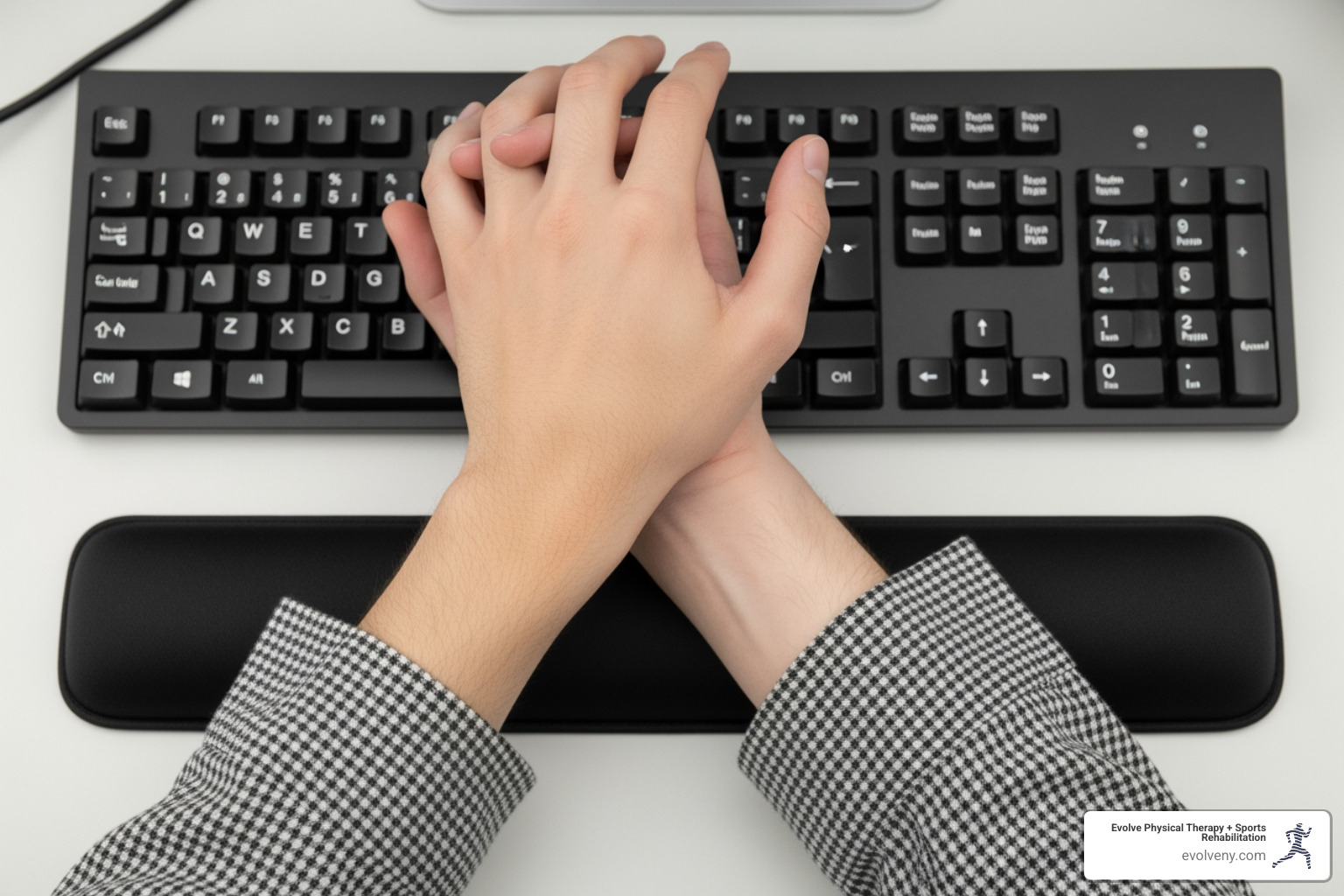
- Elbows: Keep your elbows close to your body, bent at an angle between 90 and 120 degrees. This allows your upper arms to be between vertical and 20 degrees forward, reducing shoulder strain.
- Forearms: Your forearms should be roughly parallel to the floor. This ensures a neutral position for your wrists.
- Wrists: Keep your wrists straight and aligned with your forearms. Avoid bending them up, down, or to the side. If you use a wrist rest, remember it’s only for resting between typing, not for supporting your wrists while you type. Never rest your wrists against hard or sharp desk edges, as this can create contact stress.
These small adjustments can make a big difference in preventing discomfort and long-term issues. For more tips on how to position yourself correctly, see our guide on computer sitting ergonomics.
Creating Your Ergonomic Workstation
Even with perfect posture knowledge, your workstation setup plays a monumental role in your comfort and ability to maintain what is the ergonomically optimum body posture. An ergonomically designed workstation isn't just a luxury; it's a necessity for preventing discomfort and promoting productivity. The goal is to tailor your environment to your body, not the other way around. Our guide to desk ergonomics posture guide covers these principles in detail.
The Core Components: Chair, Desk, and Monitor
- Chair: Your ergonomic chair is your first line of defense. It should be fully adjustable, allowing you to control height, backrest angle, lumbar support, and armrest position. Adjust your chair so your feet are flat on the floor (or on a footrest) and your thighs are parallel to the floor. Armrests should gently support your arms, keeping your elbows close to your body and shoulders relaxed.
- Desk: Ensure your desk height is appropriate for your task. If it's too low, you might slouch; if too high, you might shrug your shoulders. If your desk isn't adjustable, you can raise it with sturdy blocks or use a footrest if your chair needs to be higher. Crucially, ensure there's ample legroom and clearance beneath the desk so you can move freely without hitting your knees or feet.
- Monitor: Position your computer monitor directly in front of you, about an arm's length away (typically 20-40 inches). The top of the screen should be at or slightly below eye level. This prevents you from craning your neck up or down, which can lead to neck and shoulder strain. If you wear bifocals, you might need to lower your monitor an additional 1-2 inches.
By setting up these core components correctly, you're well on your way to a comfortable and healthy workspace. For a comprehensive guide, the Office ergonomics: Your how-to guide from Mayo Clinic offers excellent advice, and we also have our own tips for home office ergonomics.
Laptop Ergonomics vs. Desktop Setups
Laptops offer incredible portability, but their integrated design often forces us into poor postures. The screen is too low, and the keyboard is too close, leading to hunching and "tech neck." This is where understanding what is the ergonomically optimum body posture becomes critical, especially for laptop users.
For prolonged laptop use at a desk, we strongly recommend treating it like a desktop setup:
- Laptop Stand: Lift your laptop on a stand so the top of its screen is at eye level, just like a desktop monitor.
- External Keyboard: Use a separate, ergonomic keyboard positioned directly in front of you. This allows your wrists to stay straight and your forearms parallel to the floor.
- External Mouse: A separate mouse ensures your wrist and arm can remain in a neutral, relaxed position, avoiding awkward angles and repetitive strain.
These simple additions can transform a detrimental laptop setup into an ergonomically sound workstation, protecting you from strain and discomfort. Our blog post on ideal computer posture has more insights on this.
Beyond the Desk: Movement, Prevention, and Overall Health
While optimizing your sitting posture and workstation is vital, true ergonomic mastery extends beyond the desk. Our bodies thrive on movement, and understanding what is the ergonomically optimum body posture means embracing dynamic activity and proactive prevention. At Evolve Physical Therapy, we believe in a holistic approach to well-being, where ergonomics and physical therapy go hand-in-hand.
The Dangers of Staying Still and How to Counter Them
Regardless of how good your sitting posture is, staying in any single position for too long is simply not healthy. Prolonged sitting is associated with a range of health issues, from increased back pain (affecting nearly 70% of American workers) and muscle fatigue to reduced blood flow, leading to numbness and discomfort. It increases the compressive load on your spine and can even contribute to conditions like "awkward posture ergonomics."
The solution is simple: move!
- Frequent Breaks: We recommend taking a break from sitting every 30-50 minutes. Stand up, stretch, or take a short walk. Your best posture, as we like to say, is always your next posture.
- Micro-Adjustments: Even while seated, make small adjustments to your position. Shift your weight, stretch your fingers, hands, arms, and torso.
- The 20-20-20 Rule: If you're looking at a screen, every 20 minutes, look at something 20 feet away for 20 seconds. This helps reduce eye strain and encourages a brief mental break.
- Active Choices: Incorporate movement into your daily routine. Take the stairs instead of the elevator, walk to a colleague's desk instead of emailing, or use a distant water fountain.
These strategies are powerful counters to the risks of prolonged sitting and are key to preventing the common ergonomic issues we encounter when sitting for long periods.
How to determine what is the ergonomically optimum body posture for standing
Standing can be a great alternative to sitting, especially with the rise of standing desks. However, just like sitting, standing requires proper form to be truly ergonomic. What is the ergonomically optimum body posture when you're on your feet?
Here are our tips for ideal standing posture:
- Foot Position: Keep your feet about shoulder-width apart, with your weight balanced slightly forward on the balls of your feet. Avoid locking your knees.
- Knees: Maintain a slight bend in your knees.
- Core Engagement: Gently engage your core muscles. This helps support your lower back and maintain a neutral spine.
- Spine and Shoulders: Keep your back straight, stand tall, and let your arms hang naturally at your sides. Your shoulders should be relaxed and pulled back, not hunched.
- Head: Keep your head level, aligned with your spine, and your chin gently tucked.
- Shift Weight: If standing for long periods, shift your weight occasionally or use a low footrest to lift one foot at a time.
- Support: Consider using an anti-fatigue mat, especially on hard floors, to reduce strain on your feet and legs.
Standing desks are excellent tools, but remember to alternate between sitting and standing throughout the day. For more insights, refer to our guide on ergonomics standing desk posture.
What is the ergonomically optimum body posture for common physical tasks?
Not all work happens at a desk. Many jobs and daily tasks involve physical exertion, lifting, bending, and twisting. In these scenarios, what is the ergonomically optimum body posture is about using proper body mechanics to prevent injury. Without correct posture, tasks like lifting can significantly strain muscles, tendons, and discs.
- Lifting:
- Assess the Load: Before lifting, know the weight and plan your route.
- Stance: Stand with your feet shoulder-width apart, close to the object.
- Bend at Knees, Not Back: Hinge at your hips and bend your knees, keeping your back straight and maintaining a neutral spine. Keep your knees in line with (and behind) your toes.
- Engage Core and Legs: Lift by engaging your leg and core muscles, not your back.
- Keep Object Close: Hold the object close to your body.
- Avoid Twisting: Never twist your torso while lifting. If you need to turn, move your feet.
- Bending and Twisting: Avoid extreme bending or twisting of your torso, especially when combined with lifting or reaching. If you need to reach for something, try to move your whole body or use a tool to extend your reach.
- Pushing and Pulling: When pushing, keep your arms bent and use your body weight. When pulling, face the object, bend your knees, and use your body weight to pull.
These principles are critical for preventing strains and injuries. For comprehensive guidance on safe lifting techniques, we recommend consulting resources like How to Lift Safely.
Frequently Asked Questions about Ergonomic Posture
How often should I change my position at work?
We advise changing your position frequently throughout the day. As a general rule, try not to sit for more than 50 minutes at a time. Every 30-50 minutes, stand up, take a short walk, or perform some gentle stretches. Even small adjustments to your chair or backrest can make a difference. "Your best posture is your next posture." This constant, subtle movement helps prevent stiffness, improve circulation, and reduce the cumulative strain on your body.
Can good posture really prevent injuries and pain?
Absolutely! Maintaining what is the ergonomically optimum body posture is one of the most effective strategies for preventing injuries and alleviating pain. When your body is in neutral alignment, stress on your tissues is minimized, and your muscles work efficiently. This reduces the risk of musculoskeletal disorders (MSDs), common aches and pains in the back, neck, and shoulders, and overuse injuries like carpal tunnel syndrome. Good posture is a cornerstone of long-term health, helping to avoid wear and tear on your joints and keep your body functioning optimally.
Is there one single "perfect" posture for everyone?
No, there isn't one single "perfect" posture that suits everyone. Our bodies are unique, and what feels comfortable and sustainable for one person might not for another. The goal isn't rigid perfection, but rather maintaining a neutral, comfortable position that supports your spine's natural curves without increasing them. We encourage you to listen to your body and adjust your angles and positions within the universal principles of alignment. Occasional changes, even slightly outside the "ideal" ranges, can actually be beneficial for your body. The key is balance and movement.
Take Control of Your Posture and Well-being
Understanding what is the ergonomically optimum body posture is a powerful step towards a healthier, more comfortable life. By embracing the principles of neutral alignment, setting up an ergonomic workstation, and prioritizing frequent movement, you can significantly reduce your risk of pain and injury. These practices not only benefit your physical health but also improve your overall well-being and productivity.
At Evolve Physical Therapy + Sports Rehabilitation in Brooklyn, we are dedicated to helping our community achieve optimal health. If you're experiencing pain, discomfort, or simply want to perfect your posture and move with greater ease, our expert physical therapists are here to guide you. We offer personalized assessments and hands-on treatment custom to your unique needs, helping you open up your best self.
Learn more about our ergonomic physical therapy services in Brooklyn to start your journey toward a healthier, more comfortable life.
